Playing Video to a Full-Screen Monitor
To enable/disable full screen playback –> Shift+Ctrl+F
If doesn’t function or not as expected:
- Make sure your system is properly set up for full-screen monitor play.
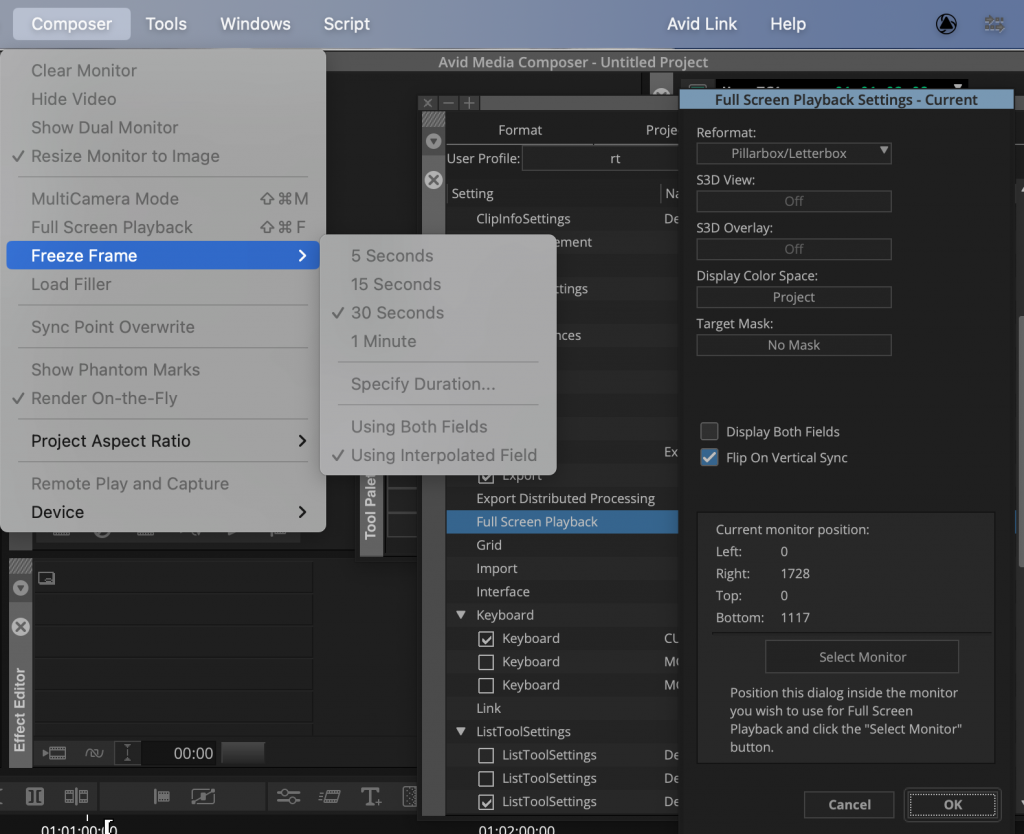
For more information, see “Understanding Full Screen Playback Options” in the Help. - File > Settings > User tab > Full Screen Playback –> The Full Screen Playback dialog box opens.
- Check the Full Screen Playback Settings to ensure you have them set properly, and close the dialog box when you are done.
- Select Composer > Full Screen Playback to view the video on a full screen monitor.
Weitere Infos –> MC Editing Guide S. 411
(–> “Full Screen Playback Settings” S. 1281)